For Some Reason the Read More Link is Broken. If you will click the title you can read the whole article. I'm sorry for the trouble.

Thursday, September 3, 2009

Constant Content and Making Money Online

I've been writing steadily online since January. I write for eHow, Xomba, InfoBarrel, my other blog, and now Constant Content. So far, I have not really cracked the code when it comes to Adsense revenue. Of all the services that I have been making money online with, eHow has steadily paid the best. That may change in the very near future though.

I've only sold two articles for Constant Content and I have almost made as much there as I have with eHow in the last six months. My very first impressions of Constant Content can be found in the initial website review I did for InfoBarrel. It's time to update those impressions here and talk about the potential for making money online at this site.

Constant Content is not an Adsense sharing site. Instead it is more like an agent. You, the author, receives sixty-five percent of every sale made. Constant Content gets thirty-five percent. If you refer an author, he or she will earn sixty-five percent, Constant Content will get thirty percent, and you get a five percent referral fee. Most people on the internet view referrals or affiliates with suspicion. Personally, I don't have any problem with it. In the real world, we look to friends, acquaintances, and coworkers for referrals all the time.

Constant Content has a very stringent set of requirements before they accept an article. It boils down to spell checking, proper punctuation, and proper grammar. There are also formatting guidelines. What this does is present your article in the best possible light for the customer.

Some writers will prefer eHow for residual income, others will prefer making money online with Constant Content by direct sales. I recommend you do both. There is that old saying about putting all your eggs in one basket after all.

Read More...


allvoices

Sunday, August 30, 2009

Review of e-Speaking: First Impressions

Well Folks, it's been a long time since I did a blog entry. To be honest, I have been busier than one legged man in a butt kicking contest. Well today instead of talking about the every little writing website that I've found I want to talk about a product that has changed my writing forever.

It's called e-Speaking. It is a bare bones voice recognition software program that cost a grand total of $14.00 if I remember correctly.

And let me tell you what this stuff is amazing . I truly never realized just how fast you can get your thoughts out in your head and onto the "paper". From then on your time is spent editing. This is simply awesome and I just can't believe and I'm still this amazed.

There is a small learning curve. Unlike the more expensive voice recognition software programs that cost hundreds of dollars, you have to train your voice using the Microsoft SAPI. And of course there was spent some time simply practicing. The thing I've found toughest to get used to was speaking out loud and enunciating the punctuation marks. That takes some serious adjusting. And I'm not going to tell you that the final product when you're done talking is perfect. There will be editing involved. I figure I am up to about 90% dictation accuracy. And, you will realise that when dictating there is a tendency to ramble. Both are issues I am willing to deal with, and the price was right.

Voice recognition software is the wave of the future. We all grew up watching Star Trek, and the speaking computer is here now. I have to say that I really wish I'd done this a long time ago.

When you go shopping for voice recognition software the first thing you want to consider is how often you'll use it. The second thing is how patient you are. If you are a low to medium user, and you have the patience to practice e-Speaking is the voice recognition software program for you.

If you are going to be using your voice recognition software a lot, or have no patience, then I'd recommend looking at a product like Dragon Naturally Speaking. Just be prepared for sticker shock.
Technorati Tags:
, ,

Read More...


allvoices

Sunday, August 9, 2009

Wordtracker Tools for the Freelance Writer

Every freelance writer has literally dozens of special tools in his/her toolbox. There are word counters and SEO tools galore. One of the most common freelance writer tasks is to do a keyword search so that articles they write are more likely to be found on the web. This post is going to look over three keyword search tools that I use regularly. The good news is that each is easy to learn and the better news is that they don't cost anything. So let's kickoff with an old favorite that deserves some respect.

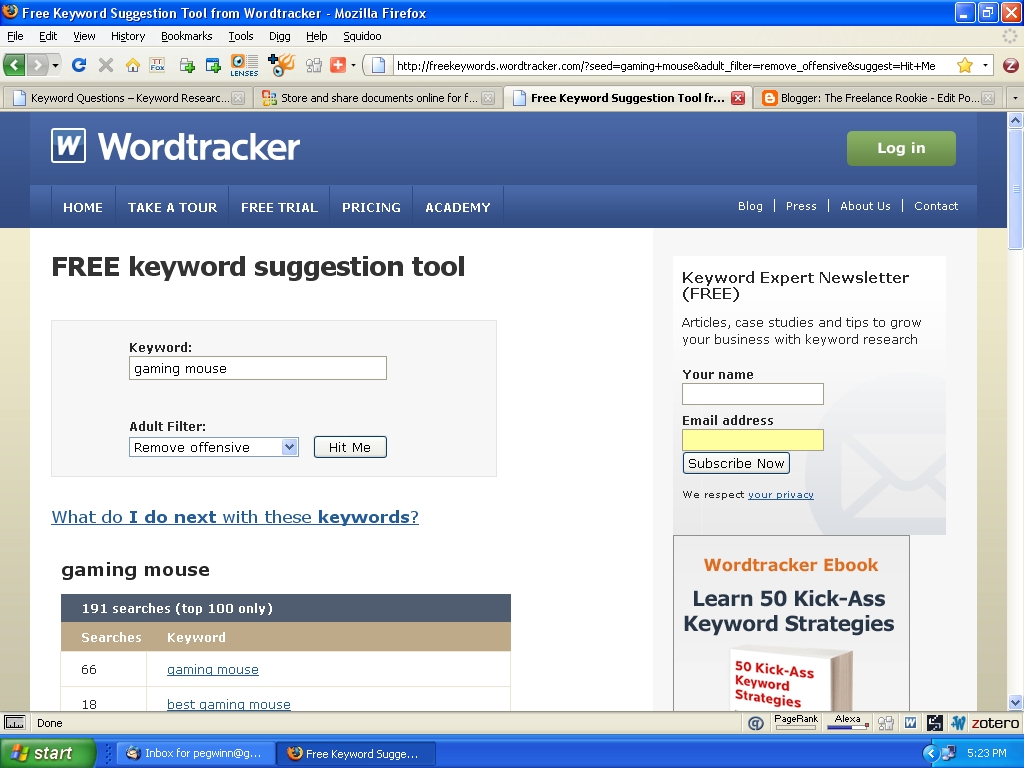
I'm sure that you may've seen this free keyword search tool already. But just to be safe let's take a quick look under the hood. Free Keyword Suggestion Tool from Wordtracker

Word Tracker Keyword Suggestion Tool for freelance writersWhen you first open it up, it looks like this. Notice the Keyword already inserted. All Images are linked to my Flickr account. Clicking on one will expand it to full size in another window.

This is the basic keyword search tool that Wordtracker offers. Functionally it allows you to quickly see which words are being searched the most. And, by clicking on one of the results you can literally drill it down to the smallest increment. I work this particular keyword search tool half to death when I need a quick look. The big takeaway is that this tool is actually a base foundation from where the other two tools are built. You are going to like them.

ThumbWordTrackerQuestionKWSuggestionThe next tool is fairly new to me anyway. It is Word Trackers Keyword Questions – Keyword Research Tool and it is a beauty. You enter a keyword and it shows you actual questions used in search engine queries related to that keyword. eHow writers take note. If you are an expert in knitting, this engine will provide plenty of "How To" questions on your keyword. Answering each question = one eHow article. I can't overemphasise this enough, freelance writers everywhere should really get a kick out of this. Think about it for one second. Instead of simply giving you the rankings of various keywords, this keyword search tool tells you the questions being asked on the net. That means that you and I can form content by answering those questions.

ThumbWordTrackerSEOBloggerLast and certainly not least is a tool to help freelance writers keep track of the keywords they use in an article. It's also from Word Tracker. This is a keyword search tool and a keyword tracker all in one. The Screen shot is of me writing the very post you are reading. Just take a look.

Of the three tools presented here, I use the keyword search tool for questions the most. Then I use the SEO Blogger tool. They are great for reminding me to stay focused on the topic. Hopefully you freelance writers found all this to be useful. If so, drop a comment, or feel free to bookmark it for a friend. Thanks for reading. - Phil

Technorati Tags: , , , ,

Read More...


allvoices

Thursday, August 6, 2009

Dealing with Publishing, Blocks, and Slow Loading Blogs

I wonder how many writers give up because of the publishing game? You need agents, you need a publisher willing to give you a look, and you need timing. I've never tried to publish a book in the traditional sense. But I have a copy of The Everything Guide To Writing A Novel and the game you play for publishing doesn't sound like fun to me. So this first website is bookmarked for the day when I want to finally hold my book in my hand. Enjoy

Book Publishing Companies - Publishing Books - WEbook Online Company: "So you want to be a writer!

Once upon a time, writers were solitary creatures, agonizing in isolation over every word, waiting for the day when their books would get noticed by an agent and wind up on the shelves of bookstores around the world.

No longer! In the brave new world of all things digital, there's more than one way to skin a cat - and more than one way to write and get published. WEbook is a community of writers who come together to write, give and get tough, honest feedback, and maybe make a few friends along the way. WEbook is transforming the landscape-one writer at a time."
There's a bit more after the jump.

I get writers block all the time. One of my key techniques for dealing with it is to simply write on a tablet with an old fashioned input device called a pen. Here is another take on how to simply get words out without distraction. I think if you try it, you will like it.
DarkCopy - Simple, full screen text editing: "DarkCopy is for anyone who enjoys the simplicity of a typewriter, and wants to increase productivity by focusing only on writing. It was created as a free, web-based clone of WriteRoom."

If some of your writing involves a blogger blog, I would like you to leave a link. Karma is a good thing y'know? And if your blog seems to be a slow loading one, here is an excerpt and link from Blogger Help that ought to help you track down the problem. That's all for today, Write on Folks - Phil
How can I make my blog load faster? - Blogger Help: "The most important content of your blog that catches readers attention should load the quickest. To help you identify which items are taking the longest to load you can use Stopwatch. To use Stopwatch, enter your blog's URL into the text box and click 'Start StopWatch'. Stopwatch will then open your blog in a frame and will record the time it takes for everything on your blog to load, including images, videos, widgets, etc. Take note of the items that take the longest to load and modify them appropriately using our suggestions."

Technorati Tags: , , ,

Read More...


allvoices

Monday, August 3, 2009

Book Review: Starting an Online Business All-In-One for Dummies

I learned a long time ago that a key learning tool for me was to read books. I was kicking around Barnes and Noble one day when one of those bright yellow dummies books caught my eye. It bills itself as "11 books in 1" and the name of it is Starting an Online Business All-In-One for Dummies. I figured that since I was freelance writing that I qualified as an online business. So, to make a long story short, I bought the book for $32.00.

The very first thing I noticed was that this is not light reading. We are talking about over 800 pages. And it is exhaustive.

  • Should You Incorporate? See Book II, Chapter 2, page 87.

  • How about website design? Internet Security? See Books III and IV Respectively.

Click the Link to See the rest of the review.

Starting an Online Business All-In-One for Dummies is so comprehensive that I can honestly say I am not ready to start a business yet. For starters my income from blogging and other freelance writing isn't stable enough yet. Incorporating costs money and I am not ready for that expense.

But, Book IV Chapter 3 goes right into what writers need to know. It tells you how to create information products such as eBooks and Webinars. Handy information for a Freelance Rookie. Come to think of it, I'd say that is good information for anyone writing online.


The bottom line is that Starting an Online Business All-In-One for Dummies is an excellent reference book. And in my case it almost paid for itself since it came with $25.00 worth of Adwords Advertising.

Strongly Recommended. And, it's cheaper than what I paid.

Read More...


allvoices

Saturday, August 1, 2009

Stumbleupon Surfing With Writers Block

I was kicking about the internet today with a severe case of writers block. My head felt like it was loaded with soaked cotton and nothing would really gel for me. I clicked on the "stumble" icon on the Stumbleupon Toolbar and looked in depth at three sites.

This was the first stumble. And it delivers on the promise. I clicked through several pages and thought that the ideas presented were really good. I think most would work best for fiction writing, but there are some that seriously give you some great ideas for non-fiction article writing.

Skelliewag.org » Posts » 110+ Resources For Creative Minds: "Tips, tutorials, exercises and inspiration from the fields of visual art, writing, photography, blogging, design and invention. Next time you’re stuck for ideas or inspiration I hope you’ll find something here to get your right brain firing. A tip: sometimes the best sources of inspiration often lie far outside your own creative field.

1. 7 Can’t-Miss Ways to Kick-Start The Writing Habit
Write nothing but headlines. Write crap without feeling guilty. Schedule and show up. Write about problem solving. Edit older articles. Type out other people’s articles. Add your tip. [Tips: Writing]"
The second site has a different flavor to it. I think it originates in the UK. It seems fresh enough that you won't be writing deathless prose in the Shakespearean style. Instead it focuses on core skills. If you need a brush up, then this site can help you.
50 Free Resources That Will Improve Your Writing Skills | Developer's Toolbox | Smashing Magazine: "Effective writing skills are to a writer what petrol is to a car. Like the petrol and car relationship, without solid skills writers cannot move ahead. These skills don’t come overnight, and they require patience and determination. You have to work smart and hard to acquire them. Only with experience, you can enter the realm of effective, always-in-demand writers."
The second link had an ad on it for demand studios. I clicked the ad because I wanted to see how they ran the program. There are two ways to get paid. The first is a flat fee, the second is residuals. To apply you click the link and upload a resume along with a writing sample in either .doc or .pdf format.

The site states they are looking for a college degree, or writing/journalism experience. I didn't go to college. And if I had a lot of experience you would not be reading The Freelance Rookie. I didn't apply, but the site is bookmarked for future reference. And if you didn't know it, Demand Studios owns eHow.com
Freelance Writing Jobs | Demand Studios: "Demand Studios

is always looking to add new writers to the team. To apply please complete our online application by uploading your resume and writing sample."
So, feel free to stumble this post and check out those links. It ought to unstick a portion of any block you are working thru. If nothing else it will be entertaining, and in the case of the DS link, you might get a job.

Read More...


allvoices

Sunday, July 26, 2009

A Twitter-Like Place: Tipdrop.com

Hi there. I am not really a twitter guy. I admit it, I don't send text messages very well. So, to Tweet during the workday just doesn't get it for me. But, one thing that does get it for me is that micro-blogging might just become a writing sub-genre that pays the freelancer. So, this post is on tip dropping.

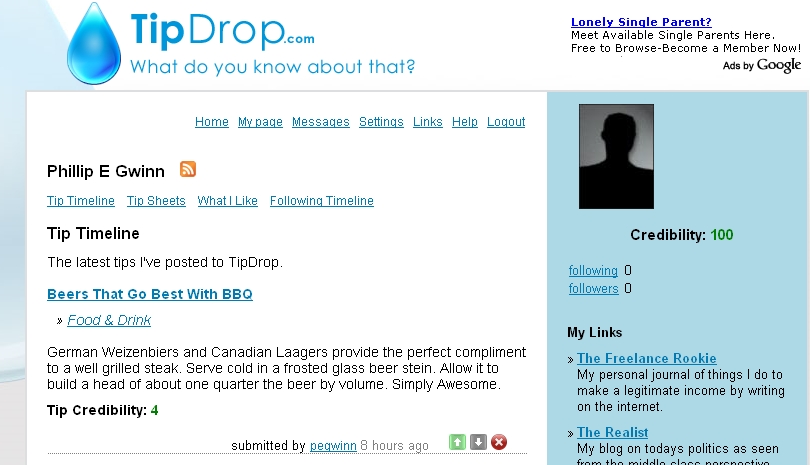
Tipdrop.com is a micro-blog where you deliver tips on things with a 250 character limit. If you start the thread and others reply to it, your credibility goes up. It is an adsense sharing site like Infobarrel or Xomba and it has a referral mechanism that pays from the sites share.

I've browsed around the site and I think I can get something going since I write for eHow. If you are in the how-to mode, the writing should be fairly easy. I'll hold back on judging the effectiviness of the adsense shares until I see some money.

Oh, and unlike Twitter...... Tipdrop.com allows you to post videos on your tip sheets. That might eventually be the thing that tips a scale. As of today it's alexa rank is in the 165K range. That is good considering how long its been out. I'm willing to give it a shot and you might think about it too.

Read More...


allvoices

Saturday, July 25, 2009

While Browsing Xomba I Found a Book Review

We've all heard of the scams and cons that are all over the net right? It seems that everyone theses days is pushing something that is too good to be true. I was browsing Xomba and found this article about making money online. It's a five topic book, but the first and last topics are on writing.

The first topic is about writing informational products and the last is on blogging. I thought the article was done really well. The author uses an internet nickname that makes no sense to me. But, apparently he was really impressed with the book that was reviewed.

Since we all are looking for ways to make a bit of extra cash with our writing I figured it couldn't hurt to share the link.

Click here to check out the book review.

Read More...


allvoices

Sunday, July 12, 2009

How to Write an eHow Article That Should Not Be Deleted

Everyone writing for eHow has seen or been hit by the purges. This is where your prize article gets deleted for no apparent reason. You, and I, took the time to craft what we believed was an article that would inform, be useful and unique, and earn some revenue as well.

Then, one day, often out of the blue the article is gone. Your title links to an "editor" article that often is substandard or only peripherally related to the original topic. eHow has improved by sending us emails to tell us about the deletions. But they have yet to tell us "why". After lurking and talking on the forums I think I have a template that will help all of us avoid the binge and purge. Check it out after the jump.

Step 1: Create a title that is a grammatically correct sentence starting with the words "How To". Don't use titles like "How To New Car Accessories". It may be keyword rich, but it sounds ignorant. Also in addition to being grammatically correct, the sentence should be action oriented. It needs to imply that something is getting done. Our incorrect sentence example could become "How To Find New Car Accessories Online".

Step 2: Build an introduction that briefly describes the problem you are going to solve. This follows on the "tell em what you are going to tell them" philosophy. The introduction should be long enough to clearly support the title and lead your reader logically to the "How To" steps that follow.

Step 3: Write one single action oriented sentence in each of the "step" boxes that will sequentially lead the reader from problem to conclusion. Why only one sentence? Because discussion on the forums indicates that many articles are deleted for not having actionable steps. And, if those steps are not in a logical order or are garbled that is a minus as well. By limiting yourself to a single sentence you address both of these discussion points.

Step 4: Write a complete paragraph following each of the sentences you wrote in Step 3. This provides the additional information to make each actionable step complete. One technique that appears to be gaining in popularity is to write the sentence in step three, then in the same text box start a new explanatory paragraph. This technique ensures that a reviewer cannot miss the actionable step.

Step 5: Write your list of items needed. Limit this to items needed to accomplish the "How To" task. Mention the item in the appropriate step. This creates linkage between the two sections of the article and ensures that no one tries to say that you are merely selling the "items needed" list.

Step 6: Write your "Hints and Warnings". This section is optional. Do not use it to include or elaborate on the actionable steps. Instead, think of this as the "Good to Know" section where the actionable steps are "Need to Know".

Step 7: Write the "Who Can Help" section. [b]Do not include affiliate links[/b]. The reader may not care that you included an Amazon link. But, the membership may use that as an excuse to flag you for spam. Or, the reviewer may decide that your inclusion of the link is spam. Spam is not adequately addressed in the TOS. But, discussion on the forums reveals that eHow and most of the members have decided that any obvious advertising is spam.

HINTS AND WARNINGS:

  • Don't write on topics that advocate the use of a single product if you can help it.
  • Don't write on topics that may be considered easy to find information.
I know that those seem to eliminate a huge number of potential articles. But, both have been cited as reasons for deletion on the forums. There will be exceptions to both rules, but you will want to incorporate the explanation for the exception in your article so a reviewer doesn't give you the axe.

Thanks for reading. I hope you found this to be useful as you write for eHow. Please feel free to bookmark and pass it around to others who may find it helpful as well. And, if I missed anything please let me know. I'd like this to contribute toward eHow creating an "Official Writing Guide". - Phil


Read More...


allvoices

Sunday, June 28, 2009

Content Sites and Affiliate Marketing

IF you didn't already know it, I can think of three sites that allow affiliate links. Xomba, Squidoo, and eHow.

Of the three, you need to be careful at eHow and only use the links sparingly or they will get you for spamming and delete the article. Additionally, there are roving bands of eHow purists that will flag articles with affiliate links as spam to bring the "authorities" into the picture. Personally I don't use eHow for affiliate marketing. Just like bulk PM's, the backlash simply isn't worth it.

And, Squidoo is changing the TOU effective in July. There will be a limit to how many links you can have going out. They are also removing X-rated content. Squidoo is slipping in the ratings to other sites and I see this as an attempt to recapture some mojo from Google.

Xomba seems to be wide open to affiliate marketing. Keep your bytes and blurbs PG-13 or better and you will have it made.

Until next time....... Have a good one.

Read More...


allvoices

Sunday, June 7, 2009

New Article's and Social Networking Tools

I am beginning to think that I will always be a rookie. It seems that the more I write articles or blog entries, the more I learn. And, there is so much more to learn than just writing techniques. So, I have added a twitter feed to this blog. I think that is pretty cool. And, I also put out a couple of articles on different platforms on how to use photos with your blog or article writing.

Everyone knows that photos are important, but not everyone knows how to use them from a technical standpoint. So, the photo articles on Infobarrel and Xomba will break it down. If you are looking for a code snippet, check out the Infobarrel Article as it has example code.

I've also learned that article promotion takes time. An - Awful - Lot - Of - Time

I submit my articles to various social networking sites. Going to each site and dealing with the logins, and the idiosyncrasies of each site often takes as long as the writing or research that went into the article. As of last night I found an alternative.

Onlywire.com offers simultaneous submission to a huge number of social networking sites. There are two options you can choose from. One is simply to pay for the service. It's inexpensive and likely worth every penny. The other option allows free usage of the onlywire service as long as you include an onlywire button on your site. I have no problem with that because I hope people are going to subscribe and bookmark my articles anyway.

I used it for the first time today and it worked great. I strongly suggest you add this button to leverage your social networking promotions for your blog or articles as well.

Read More...


allvoices

Saturday, May 30, 2009

Working at Allvoices.com

There is a social networking site where you are the reporter. Your writing is freeform and you get paid by the view. Since this is a worldwide site the view count is high. We are looking at 10,000 views to get paid. I want to see how long and how much.

Watch this space for future updates. For now, you can check out the opening submissions

Read More...


allvoices

Sunday, May 17, 2009

It's A Whole New Look

Hi there. I got bored with the old template and decided to tweak it some. I am actually more comfortable with website design than I am with most forms of online activity. I get this urge to take things apart which really annoyed my mom and dad when I was a kid.

I also added some pages devoted to each site that I personally write on. This is still the main page, but, content specific stuff might go to the other pages so be sure to check them out as well.

So far, eHow continues to earn more money for me. But, I find myself intrigued by the challenge of mastering a direct adsense connection. So I am focusing more on IB and XOMBA to see what I can learn. So far I have two observations that I can use to my advantage.

First: Each is a distinctly different site. The Demographic for IB and XOMBA seem to be a younger crowd that is less inclined to read a long DIY article. Instead they seem to want the short version. I've also noticed that the depth of article topics at both sites run a lot more toward the social news category. So, articles about current events in sports, politics, and celebrity gossip just might have an income producing home there.

Second: Xomba is social as much as writing. It doesn't feature forums like eHow, but some articles generate a huge number of back-and-forth commenting. There is room for monetizing that as well as simply being neighborly.

Happy Springtime! See you soon. -Phil

Technorati Tags: , , , , , , , ,

Read More...


allvoices

Thursday, May 7, 2009

Productivity Tools I Use and One That I Want

I gotta tell you that time is my most precious asset. There just doesn't seem to be enough of it to go around. My issue is that working two jobs leaves very little time to write anything. And it always seems that I just can't take the time to do it right. So, the question of the day from me to y'all is: What things do you do to increase you productivity when time is crunched? My answers are after the link ...

My number one productivity booster I is a Palm M500 PDA. This is an older model that is great for two things. The first is reading eBooks and the second is writing. When ever I get five minutes free I can write. This is real writing since you are hand writing stuff to be converted to editable text. For me that works great since I tend to be wordy when typing. I have written the entire rough drafts of various articles on this. I got mine on Ebay for $20.00 plus shipping.

Number two a pen/paper. When driving I jot down ideas, outlines, sketches, and simple keywords for future analysis. That way on the nights off I have a jump start. This has worked so well that I recommend it for everyone. Don't try to be organized, just let the stuff flow. It won't be neat and pretty, but you will have some great core ideas going. So, this will give you a leg up when your precious free time is't there.

And, on my list of things to get is Dragon NaturallySpeaking 10 Preferred Mobile. You can get speech to text converters for little to no money. But Dragon Naturally Speaking is the standard that all others try to emulate. I am looking hard at the mobile edition because it includes a voice recorder that will transcribe your dictation when you hook it up. I can see myself driving along and dictating something into the recorder. Then, back at the house, not having to put on the headphones and mic to transcribe it. Yep, this is for sure on my list of things to get.

As always, Thanks for Reading.
-Phil


Read More...


allvoices

Tuesday, May 5, 2009

Cinco de Mayo

I got paid today! Woo Hoo! I am not yet in the megabux club, but eHow is now paying me via paypal regularly. And, since I am new at this sort of thing it can only get better as I learn more and do more. This also motivates me to dedicate more time to the cause as it were. Working two jobs means my free time is very limited. By getting a regular monthly payout I am more willing to donate those extra minutes.

I am becoming more familiar with Info Barrel and Xomba. I love IB's interface for composition. With a bit of HTML you can make the page awesome. The only issue I have is that I will spend too much time tweaking the look instead of actually writing. A bit more self discipline is needed.

I don't like Xomba's input boxes at all. But, I can deal with them. They are unique in that they also accept BBCode which folks rarely see outside of internet forums. BTW, I am looking to participate in writing forums away from eHow. Anyone got any suggestions?

I had to make a shift. I was looking at IB and XO through eHow glasses. These sites are separate and distinct enough that if you do as I did, you will likely lose views on your articles. So, rookie lesson number eighty-six...... go to each site and look at what is allowed and not, read the TOU/TOS. Browse and comment (another thing I am not great on yet) and make yourself known. Figure out the demographic of the average writer, member, visitor, etc. Then look at what you might be able to do at one site that another doesn't allow. This will expand your range of articles tremendously as well.

I've been told that eventually people who write articles for a living, due to the internet influence, will actually have a career path known as Information Marketing. For now, it's like the wild west. There is money to be made, creative needs to satisfy, and little to no regulation. So, if you are not at eHow, Info Barrel and Xomba then you need to be.

The best advice for Tuesday is to read and learn everything. Then write about it and make sure that content is always king. You'll sleep better at night.

C'ya Thursday with a post on increasing your productivity when you are time crunched.

-Phil

Read More...


allvoices

Thursday, April 30, 2009

The Writing Process

Do you have a writing process you use to compose your articles with? I do. Because I am new at this I often discovered "a skipped step" as I was trying to research why I am not overflowing with eHow and adsense money. So, little by little, I am learning from experience. So this article is part writing help for newbies and writing skills evolution for rookies. Hopefully some of the veteran writers will throw in their own writing help tips.

I've listed the steps that I am following for all new articles. I will also be trying to retrofit the already published ones into this mold if possible. Again, this is also about writing skills evolution. If you have a better writing technique or any tweaks to what I wrote by all means share them if you will. Thanks.

Conceptualize the Article: For this step in my writing process I rely on Google Suggest & MS Commercial Intent. These are my personal favorites when I need help finalizing the concept for an article. All artistic thoughts aside, we write for two audiences most of the time. The first is the reader who will gain something from us. The second is usually Google Adsense bots. The tools mentioned above each have a different function. The first one tells you what people are looking for. The second one tells you what they are buying. It may not be art from a purist writers perspective, but the days of making a living by getting paid to write have changed drastically. Whether we like it or not, I am discovering that to make money online requires an article that is part editorial, part advertising copy, and a bit of "spark" to humanize it.

KW Research for the Title: Titles are so important nowadays. They are the first thing the ad and searchbots hit. And they carry more weight than any single part of the article. I have learned on eHow that my titles tend to run a bit long. So I try to locate a primary and secondary keyword that gel for the title.

Assign Title: Using those keywords I assign a title to the document. I use the title to remind me to stay on the topic. Every paragraph should somehow move the reader toward the final desired result which is hopefully called out in the title and description/opening paragraph.

KW Research for the Body: I take the keywords in the title and use them to generate a list of synonyms both at the keyword and key phrase levels. Repeating the same keywords over and over is apparently a google no-no. But, repeating the same keywords a bit, and packing in synonymous alternatives seems to be fine.

Rough Draft: With KW stuff handled I can now sit down and write. The artistic writers may sniff in disapproval but I really believe that it takes more of the "write stuff" to produce high quality content that is SEO optimized. My roughs tend to be long winded and meandering. That's ok for a start since some brutal editing will fix that... I hope.

Initial SEO w/Google Adwords/Sites and SEO Workers:
I have a blank blog. It has nothing in it. There are no widgets, no adsense, and only the bare minimum formatting to allow it to publish. I post my rough to this blog. Then I run the URL through the Adwords Keyword Site and I also use the SEO Workers Extension for Firefox on it. What I get is an SEO report on my content as opposed to the eHow or IB page that it is on. There are far less keywords listed, no related articles, no extra links, IOW.... nothing but (for better or worse) me. Between the two I get a pretty good picture of how the page might fare in the real world. Normally, it needs some help.

Final Draft:
Help has arrived. I make the edits that the rough and SEO work has shown me to need. I read the article out loud several times to make sure it flows. I spell check it on every platform I intend to publish from. AND MOST IMPORTANTLY: I DOUBLE CHECK THE TOS of the publishing platform. I started doing that after the eHow Binge and Purge.

Final SEO with all the previously mentioned tools: The reason I do this is that in all the writing, the message can become blurred and fuzzy. This is the final sanity check.

SEO Tweaks Edit: It's pretty likely that you gained some insight that needs an edit or two. Since we are writing for two audiences, we have to have quality going both ways. Hopefully at this stage of the articles birth it won't be but a tweak or three.

Publish: By now I've done everything I can to show the world my high quality content. So I go ahead and publish it on the platform of choice.

30 Day Review: This is the time to look at the articles performance over the last month. How many views did it get? Did it earn anything? I would strongly suggest a spreadsheet or database to track your stats. I like numbers because once I "get it" I can make intuitive leaps. So, I have gotten really good at making database templates. I could care less about the reports and the bells or whistles though. I want the data, formatted for my brain housing group, right now. I'm laughing as I type this since I am building the database as we "speak".

Final Edit: After the 30 day review I plan to make any last minute adjustments and walk away. It's all over. The article is complete and parked. The SEO is done and I am simply waiting for it to fully mature.

Read More...


allvoices

Thursday, April 23, 2009

Moving to IB and Xomba

With all the drama going on at eHow, I am moving my deleted stuff to Info Barrel and Xomba. I am not quitting eHow by a long shot. But, I might as well have three articles on the same topic instead of just one. And since we have no idea when and how the eHow purge will evolve... You have to look out for yourself.

The move is not all roses and joy though. Each article is essentially rewritten twice over. This ensures there is no duplicate content. And, IB requires original content just like eHow. I am not sure about Xomba but right now I am not taking any chances.

Since I only have two nights a week to dedicate to this, it might take a while.

I am working on a post that will talk about how to write with limited time. I think it might be useful to each of us.

So, what is on your mind? How is life? How is your freelancing coming along?

Until next time - Phil

Read More...


allvoices

Thursday, April 16, 2009

My Take on eHows Binge and Purge

I like eHow. I used to browse the site before deciding to write for them. I like the community and the people in it. But, an evil thing took over the eHow staff. Binge and Purge syndrome has struck them. After who-knows-how-long of eHow taking any article you wrote (binge) they are now deleting the masses that don't meet their criteria (the purge)

I lost six (I think) of 41 articles. And frankly, I think that the algorithm needs a do-over because the only possible reason they could be out of spec would be the actionable steps. I wrote a series of Leadership articles. I thought that breaking down a complex subject into manageable steps would be good. Note to others: DON'T DO THAT!

The problem arises when they delete Leadership traits part 1 of 3 and Leadership traits part 2 of 3, but they leave number three. And, they linked an article of mine on performance evaluations to a really lousy editor article.

Essentially my complaints are that eHow made no effort to tell me which articles I lost. There was no opportunity to correct the problem since they didn't mention which articles or provide a time frame to avoid deletion. And, the redirection of my titles to sub par editor articles is really low. It might make sense in an SEO kind of way, but it still gets under my skin. Oh, and just FYI ,they have stated that rewriting the deleted articles is verboten.

So, I spent two days really pissed off. Now that I am no longer pissed off I am resolved to continue writing there. But I will be carefully considering what I write for them. After all I wasn't drafted into involuntary servitude and it is their site. When in Rome eh?

And if by chance you lost articles and had no backups, there is an awesome article by a young lady named Virgina that will get you squared away quickly.

I will also be transferring some of my earning articles to Infobarrel and Xomba after appropriate rewrites. Be careful if you do that. eHow and IB both have a TOS/Guidelines that require unique content. So, rewrites need to ensure you have two unique articles even if they tell the same story.

How are y'all doing?

Read More...


allvoices

Sunday, April 12, 2009

My Basic Writing Formula

Hey there folks. Well I have not been very busy on eHow due to real life taking up all my time. But, I was wondering what process you go thru to bring your ideas from Inspiration to Publication. Do you have a formula that you use?

My formula is simple. I get the idea and then write the article without any thought to keywords or SEO. Then I post it up and run the SEO Workers tool over it. From there I will tweak it and run it through the Google Adwords tool. Then, I publish. I will usually wait a week or two and see what I can do then to improve it. Now, since I am not a huge money maker I am open to y'alls ideas or suggestions.

Oh, and I finally made payout for the first time! Woo Hoo!

Read More...


allvoices

Saturday, April 4, 2009

Full Circle or Closed Loop Posting System

As writers we want readers. Since we are online writers, we want those readers to have easy access to our material. My personal technique to meet this challenge is called the full circle or closed loop approach. By using a closed loop system you really ramp up the backlinks and get a jump on promotion.

This approach works best for me when I need more than one article on a generic topic. I tend to be verbose without some self discipline and brutal editing. This allows me the freedom to write the huge article and then break it apart.

The very first thing to do is write your generic information article. This "parent" piece will serve as a good general reference on its own as well as pointing the way to more detailed info via the "child" articles. I did some research and have decided to go with Infobarrel.com as my place to post parent articles.

eHow is great for step-by-step publishing. But, some articles simply don't fit that mold. At IB I can write a good quality generic piece on “things you need”. Each paragraph can give the basics. Then, you provide a link to an eHow piece that expands the generic data to a step-by-step format. This also allows the reader to decide the level of help they want. The best way to visualize this is to think of a textbook that has chapter summaries. The parent article is the executive summary of the (child articles) series.

Honestly, this is not meant as an IB plug, but you need to know that they pay half of all adsense revenues to the author. And it is referral based. If you sign up from my link, my commission comes from IB's part of the pot, not yours. It is not multi-level, no one loses, and the commissions are low enough that writing high quality content is still the only way to make it.

To see an example of the Full Circle or Closed Loop Posting System in action please read this article at Infobarrel. Within the article there you will see the links to my latest eHow's as the children. I didn't write a full article on each link either. I figured some would end up so short that I could not add any helpful info other than a link to use. I might be losing a bit of money on that though.

Please let me know what you think. I really am excited about this approach and the interactive nature of blogging allows a discussion with no RRCR pressure. Have a great weekend. - Phil

Technorati Tags: , , , , , , ,


Read More...


allvoices